Signing in and your account
Profile and sign-in history
How to change your email and phone number and see the log of your sign-ins.
Last updated on
Under Profile information you can change your contact details and see when and from where your account was signed in to.
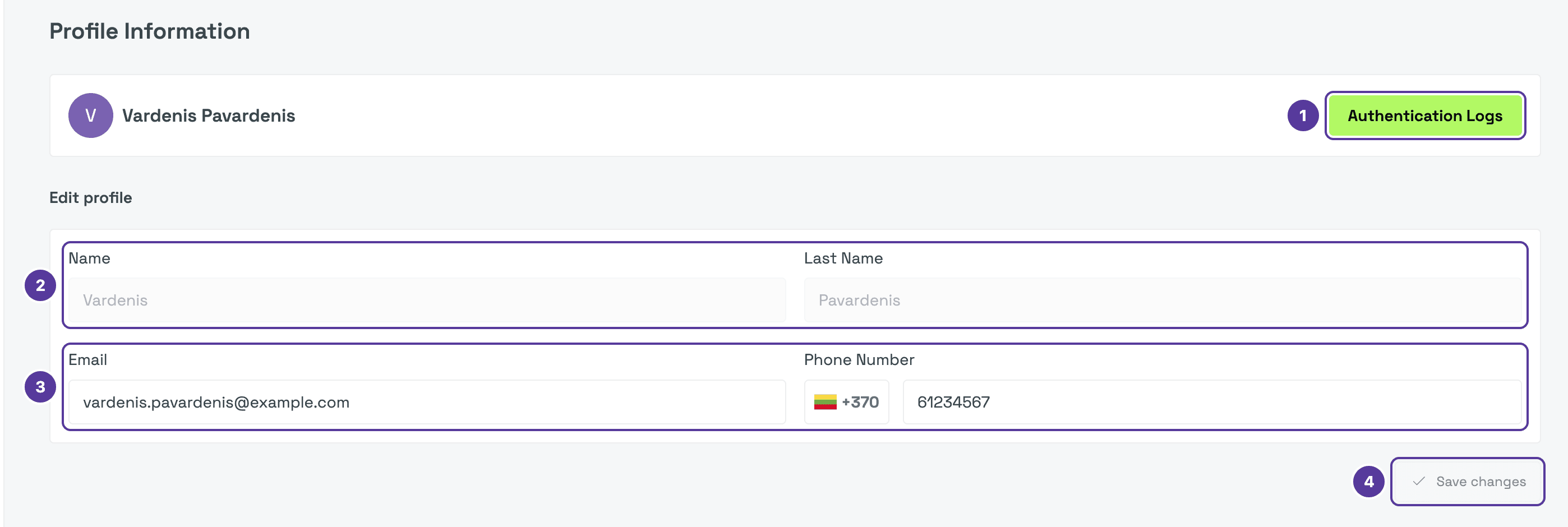
- Authentication Logs — opens the log of your sign-ins.
- Name and Last Name — come from the e-Government Gateway and cannot be changed.
- Email and Phone Number (with its country code) — you can change these.
- Save changes — becomes active once you change something.
Sign-in history
Authentication Logs has one row per sign-in:
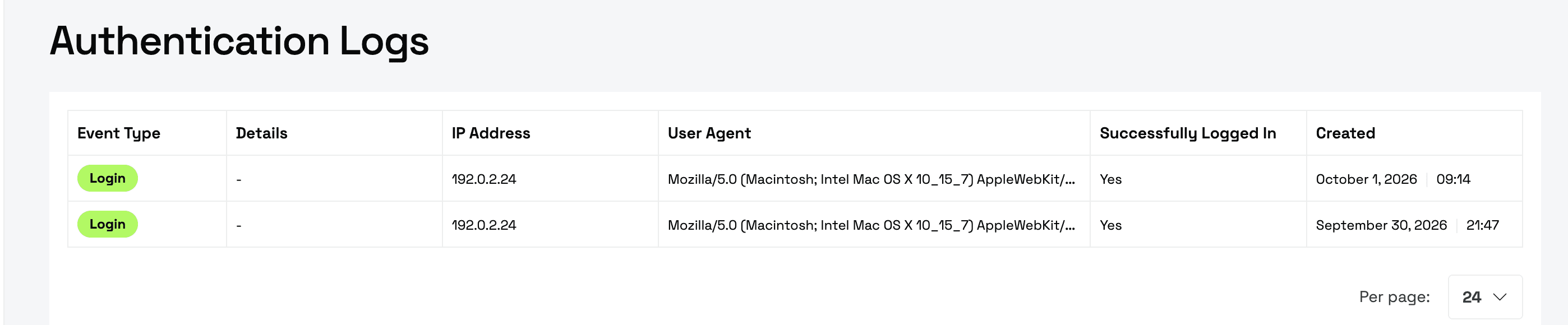
| Column | What it shows |
|---|---|
| Event Type | For example, Login. |
| Details | Extra information, if any. |
| IP Address and User Agent | Where you signed in from and with which browser. |
| Successfully Logged In | Yes if the sign-in worked. |
| Created | Date and time. |
How is this guide?