Portal settings
Switching the portal language and accessibility settings.
Last updated on
You can adapt the portal to suit you: switch the language and turn on options for easier reading. Both controls are in the top-right corner of the portal.
Language
The portal is available in Lithuanian and English. Switch the language with the language button at the top — it shows the other language (for example LT when you are browsing in English). The same switch is also in the portal footer.
Accessibility
Next to the language button is Accessibility settings — clicking it opens a panel with readability options:
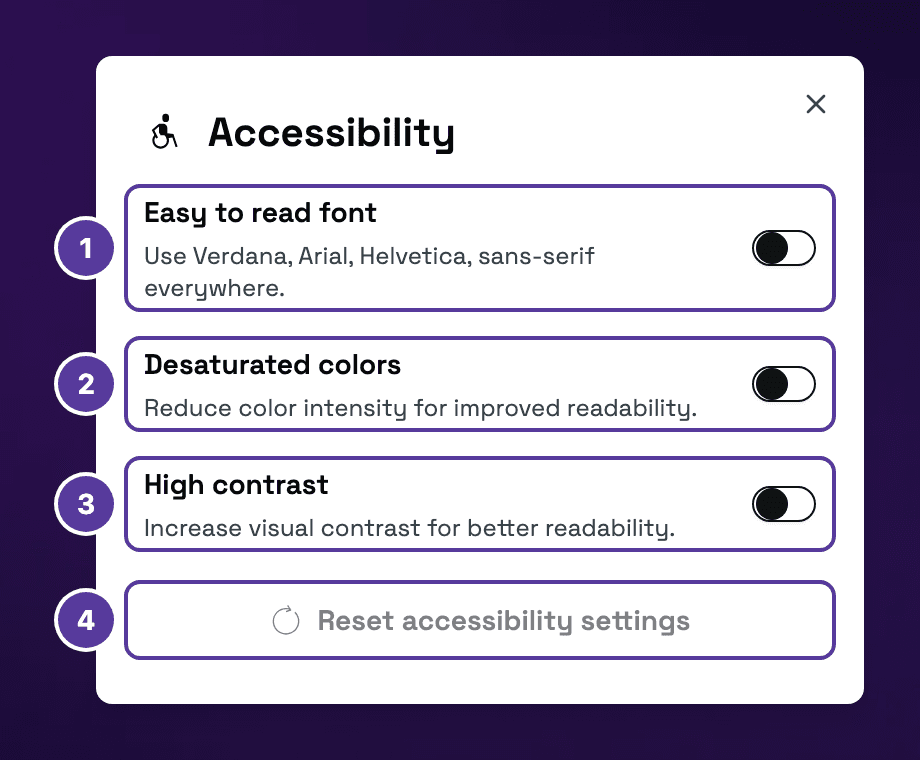
- Easy to read font.
- Desaturated colors.
- High contrast.
- Reset accessibility settings.
| Option | What it does |
|---|---|
| Easy to read font | Uses an easier-to-read sans-serif font across the site (Verdana, Arial, Helvetica). |
| Desaturated colors | Reduces colour intensity for better readability. |
| High contrast | Increases visual contrast for better readability. |
Options take effect immediately and stay on as you browse. To return to the default view, click Reset accessibility settings in the same panel.
How is this guide?