Signing in and your account
Notifications
Portal notifications in your account and email settings: which can be turned off and which are mandatory.
Last updated on
The bell in the top right corner opens Notifications — portal notifications addressed to you.
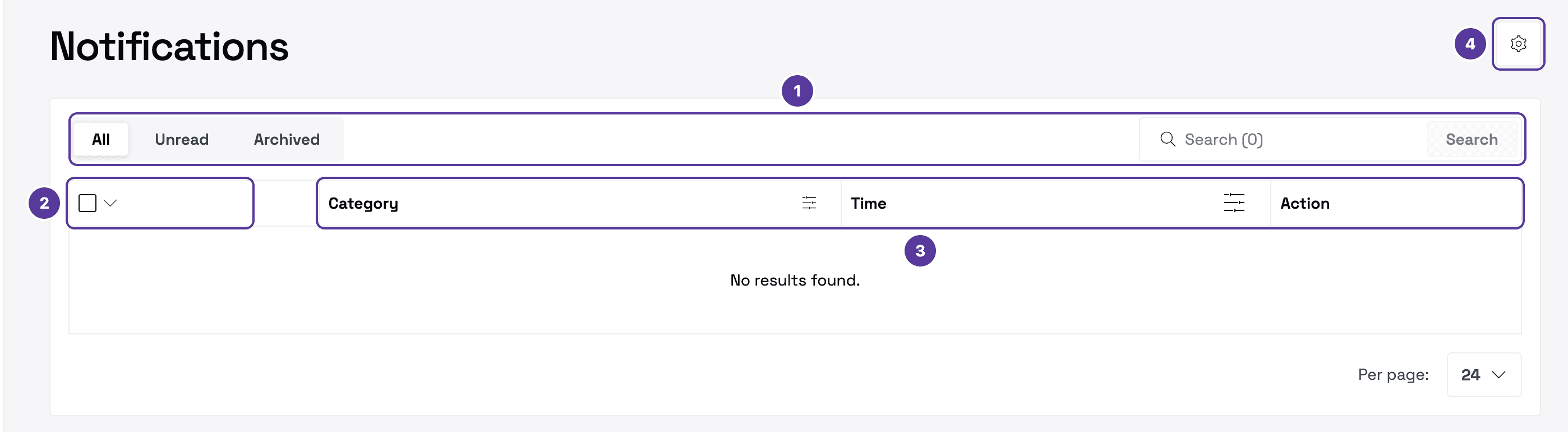
- All, Unread and Archived — the list's tabs; search next to them.
- The checkbox — select several notifications at once: All, None, Read or Unread.
- Category, Time and Action — filter the list by category and sort it by time.
- Notification settings — the gear in the top right.
Notification settings
Here you choose which emails you get. Each notification type has its own switch.
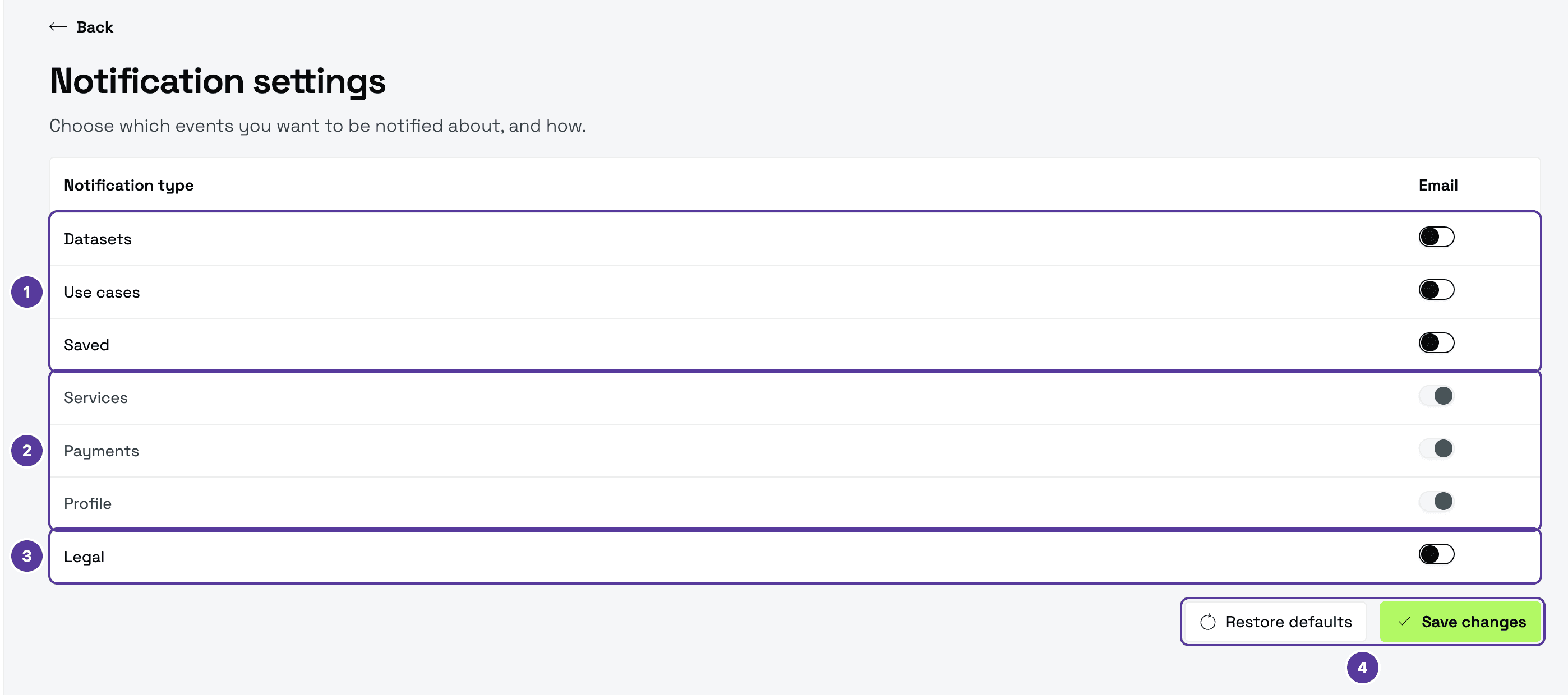
- Datasets, Use cases, Saved — off at first; you can turn them on.
- Services, Payments, Profile — always on: these notifications are mandatory and cannot be turned off.
- Legal — off at first; you can turn it on.
- Save changes saves your choices; Restore defaults brings back the original settings.
How is this guide?